The Options Pattern in .NET
The Options Pattern in .NET
Every application needs configuration. Connection strings, API keys, SMTP settings, feature flags, cache settings, timeouts, logging levels—all of them should be configurable without recompiling the application.
In .NET, configuration is represented by the IConfiguration interface. While it works well as a low-level API, using it directly throughout an application quickly becomes difficult to maintain.
The Options pattern solves this problem by exposing configuration as strongly typed objects that integrate with dependency injection.
In this article, we’ll look at how the Options pattern works internally, why it exists, and when to use IOptions<T>, IOptionsSnapshot<T>, and IOptionsMonitor<T>.
Why isn’t IConfiguration enough?
A common approach is injecting IConfiguration directly into a service.
public class OrderService
{
    private readonly IConfiguration _configuration;

    public OrderService(IConfiguration configuration)
    {
        _configuration = configuration;
    }

    public void Process()
    {
        var timeout = _configuration.GetValue<int>("Database:Timeout");
    }
}
Although this works, it has several drawbacks.
First, the dependency is too generic. Looking at this constructor, it is impossible to know which configuration values the service actually needs.
Second, configuration keys become string literals. The compiler cannot detect typos or renamed keys.
_configuration["Database:Timeout"]Third, related settings are spread across the application instead of being grouped together.
Finally, validating configuration becomes difficult. Missing or invalid values often cause exceptions only when the code path is executed.
The Options pattern solves these problems.
Configuration in .NET
The Options pattern is built on top of the .NET configuration system, so it’s worth briefly understanding how configuration works.
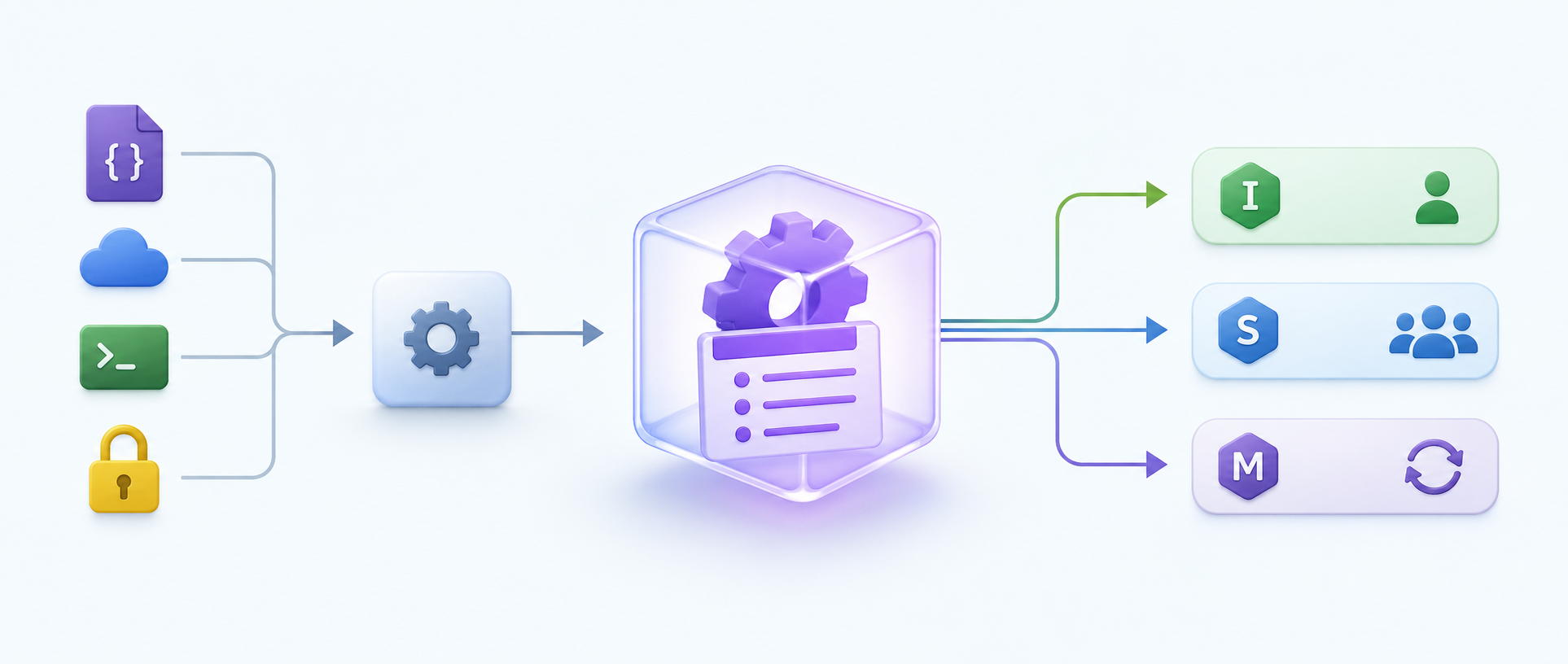
IConfiguration is a facade over one or more configuration providers. A provider can load configuration from different sources, such as:
- JSON files
- Environment variables
- User Secrets
- Command-line arguments
- Azure App Configuration
- Azure Key Vault
Each provider converts its data into the same key-value representation, allowing the rest of the application to access configuration through a single API.
If multiple providers contain the same key, the value from the last registered provider overrides the previous ones.
For example, an environment variable can override a value from appsettings.json without modifying the file itself.
Internally, configuration doesn’t know anything about your classes. It simply stores string key-value pairs such as
Database:ConnectionString = ...
Database:Timeout = 30
The Options pattern builds strongly typed objects on top of this key-value data.
The Options pattern
The Options pattern converts configuration into a strongly typed object. Instead of reading individual values
_configuration["Database:Timeout"]we create a POCO class.
public class DatabaseOptions
{
    public string ConnectionString { get; set; } = "";

    public int Timeout { get; set; }
}
Then we register it.
builder.Services
    .AddOptions<DatabaseOptions>()
    .BindConfiguration("Database");
Now services depend on
DatabaseOptionsinstead of configuration keys.
The service becomes much easier to understand.
public class OrderService
{
    private readonly DatabaseOptions _options;

    public OrderService(IOptions<DatabaseOptions> options)
    {
        _options = options.Value;
    }
}
The service no longer knows anything about JSON files, environment variables, or configuration keys. It only knows the settings it actually requires. This is the biggest architectural advantage of the Options pattern.
Binding
So, how does .NET create the DatabaseOptions object?
The answer is binding.
The configuration binder reads configuration values and maps them to public writable properties. For example:
Database:ConnectionString
Database:Timeout
becomes
new DatabaseOptions
{
    ConnectionString = "...",
    Timeout = 30
};
The binder automatically converts strings into common .NET types such as
- int
- bool
- enum
- Guid
- TimeSpan
- DateTime
It also supports nested objects.
For example
{
    "Database": {
        "Retry": {
            "Count": 3
        }
    }
}
can be bound into
public class DatabaseOptions
{
    public RetryOptions Retry { get; set; } = new();
}

public class RetryOptions
{
    public int Count { get; set; }
}
Binding only copies values into an object.
It does not validate them.
Registering options
When we register options
builder.Services
    .AddOptions<DatabaseOptions>()
    .BindConfiguration("Database");
no object is created. The registration simply tells ASP.NET Core how to build the object later. In other words, we register instructions rather than an instance. The options object is created only when it is first requested from the dependency injection container. This is known as lazy initialization.
How options are created
When a service requests options, the dependency injection container asks IOptionsFactory<T> to create them.
The creation pipeline looks like this.
Configuration Providers
           │
           ▼
     IConfiguration
           │
           ▼
    Create TOptions
           │
           ▼
Run all Configure actions
           │
           ▼
Run all PostConfigure actions
           │
           ▼
Run all validators
           │
           ▼
Return configured options
Each step has its own responsibility.
- Configure initializes the options.
- BindConfiguration is implemented as one of the configure actions.
- PostConfigure modifies options after every configure action has completed.
- Validation verifies that the final object is valid before it is returned.
The factory only creates the object. It does not cache it. Caching depends on which options interface is being used.
Why PostConfigure exists
Sometimes an option depends on another option. For example:
Host = localhost
Port = 8080
Instead of storing
BaseUrl = http://localhost:8080inside configuration, we can build it after binding.
builder.Services
    .PostConfigure<DatabaseOptions>(options =>
    {
        options.BaseUrl = $"http://{options.Host}:{options.Port}";
    });
PostConfigure() keeps configuration smaller while allowing derived values to be calculated automatically.
IOptions<T>
IOptions<T> is the simplest way to consume configuration. When the options are requested for the first time, the dependency injection container resolves IOptions<T>. During this process, IOptionsFactory<T> creates the options object, which is then cached and reused for the rest of the application’s lifetime.
First request
      │
      ▼
IOptionsFactory<T>
      │
      ▼
Create DatabaseOptions
      │
      ▼
Cache
      │
      ▼
Return

Every next request
      │
      ▼
Return cached instance
This makes IOptions<T> very efficient because the options object is created only once.
It is a good choice when the consumer doesn’t need to observe configuration changes. Typical examples include:
- Application name
- Pagination defaults
- Static limits
- Other settings that normally require an application restart after being changed
Keep in mind that the underlying configuration providers may still detect configuration changes. IOptions<T> simply ignores them and continues returning the same cached object.
IOptionsSnapshot<T>
IOptionsSnapshot<T> is designed for scoped services. A new options object is created once per dependency injection scope and reused for the lifetime of that scope. In ASP.NET Core, a scope typically corresponds to a single HTTP request.
HTTP Request #1
       │
       ▼
Create DatabaseOptions
       │
       ▼
Reuse within Request #1

HTTP Request #2
       │
       ▼
Create new DatabaseOptions
       │
       ▼
Reuse within Request #2
Notice that the object is not recreated every time it is injected. Every service within the same request receives the same options instance. This behavior provides an important guarantee. Imagine a request starts with
Timeout = 30While the request is being processed, someone updates the configuration.
Timeout = 60The current request continues using the original options object.
Only new requests receive the updated configuration. This prevents a single request from observing inconsistent configuration values.
The trade-off is that binding and validation happen once for every request, making IOptionsSnapshot<T> slightly more expensive than IOptions<T>.
IOptionsMonitor<T>
Some services don’t have request scopes.
For example:
- Background services
- Kafka or RabbitMQ Consumers
- Other singleton services
These services often run for days or weeks. If they used IOptions<T>, they would never see configuration updates.
IOptionsMonitor<T> solves this problem. Internally, it subscribes to configuration change notifications. When configuration changes, it creates a completely new options object and replaces the previous one.
Configuration changes
         │
         ▼
IOptionsFactory<T>
         │
         ▼
Create new DatabaseOptions
         │
         ▼
Replace cached instance
Notice that it does not modify the existing object. This is an important design decision. Imagine the current options contain
Timeout = 30
Retries = 5
If the object were modified in place, another thread might observe
Timeout = 60
Retries = 5
A moment later
Timeout = 60
Retries = 10
This is an inconsistent state that never existed in the configuration. Replacing the entire object avoids this problem. Each consumer always works with a complete and internally consistent options instance.
Choosing the right interface
The three interfaces solve different lifetime problems.
| Interface | Lifetime | Reload support | Typical usage |
|---|---|---|---|
IOptions<T> | Singleton | No | Singleton services that don’t need configuration updates |
IOptionsSnapshot<T> | Scoped | Per request | Request-scoped services |
IOptionsMonitor<T> | Singleton | Yes | Long-running singleton services |
None of them is universally better than the others. Choose the interface that matches the lifetime of the consumer.
Validating options
Binding copies configuration into an object. It does not guarantee that the object is valid. For example:
{
    "Database": {
        "Timeout": -10
    }
}
The binder successfully converts -10 into an integer. From its perspective, the conversion succeeded. Whether -10 is a valid timeout is a business rule. Validation is responsible for checking those rules.
ValidateDataAnnotations()
The easiest validation approach is using Data Annotation attributes.
public class DatabaseOptions
{
    [Required]
    public string ConnectionString { get; set; } = "";

    [Range(1, 300)]
    public int Timeout { get; set; }
}
Enable validation during registration.
builder.Services
    .AddOptions<DatabaseOptions>()
    .BindConfiguration("Database")
    .ValidateDataAnnotations();
When the options object is created, ASP.NET Core validates it using these attributes. This approach is ideal for simple property-level validation.
Custom validation
Some validation rules involve multiple properties. Suppose SSL can be enabled. If SSL is enabled, a certificate path must also be provided.
public class DatabaseOptions
{
    public bool UseSsl { get; set; }

    public string? CertificatePath { get; set; }
}
This rule cannot be expressed with a single attribute. Instead, implement IValidateOptions<T>.
public class DatabaseOptionsValidator
    : IValidateOptions<DatabaseOptions>
{
    public ValidateOptionsResult Validate(
        string? name,
        DatabaseOptions options)
    {
        if (options.UseSsl &&
            string.IsNullOrWhiteSpace(options.CertificatePath))
        {
            return ValidateOptionsResult.Fail(
                "CertificatePath is required when SSL is enabled.");
        }

        return ValidateOptionsResult.Success;
    }
}
Then register it.
builder.Services.AddSingleton<
    IValidateOptions<DatabaseOptions>,
    DatabaseOptionsValidator>();
This approach is useful for complex validation logic that cannot be described with attributes alone.
ValidateOnStart()
By default, options are created lazily. If nobody requests them, they are never created. That also means validation is delayed until the options are first resolved. This can lead to runtime failures.
ValidateOnStart() changes this behavior.
builder.Services
    .AddOptions<DatabaseOptions>()
    .BindConfiguration("Database")
    .ValidateDataAnnotations()
    .ValidateOnStart();
It doesn’t validate the options immediately. Instead, it registers a startup validator that runs during host startup. Conceptually, the startup sequence looks like this.
Host starts
      │
      ▼
Startup validation
      │
      ▼
Create options
      │
      ▼
Run Configure
      │
      ▼
Run PostConfigure
      │
      ▼
Run validation
      │
      ▼
Application starts accepting requests
If validation fails, an OptionsValidationException is thrown and the application doesn’t start.
This follows the fail-fast principle.
It’s usually much better to detect invalid configuration during startup than after the application has already begun processing requests.
Common mistakes
Injecting IConfiguration everywhere
If a service depends directly on IConfiguration, it can read any configuration value. The dependency becomes unclear. Instead, inject only the options the service actually needs.
Using IOptionsSnapshot<T> inside singleton services
IOptionsSnapshot<T> has scoped lifetime. Singleton services cannot depend on scoped services. Use IOptionsMonitor<T> instead.
Expecting IOptions to reload automatically
Even if the configuration providers detect changes, IOptions<T> continues returning the same cached object. If runtime updates are required, use IOptionsMonitor<T>.
Storing derived values in configuration
Configuration should contain source values. Derived values are usually better created in PostConfigure().
Conclusion
The Options pattern is much more than three interfaces. It provides a complete pipeline for building, configuring, validating, and consuming strongly typed configuration. Understanding how this pipeline works makes it easier to choose the correct interface and avoid common mistakes. A good mental model is:
Configuration Providers
        │
        ▼
 IConfiguration
        │
        ▼
 Configuration Binder
        │
        ▼
 Configure
        │
        ▼
 PostConfigure
        │
        ▼
 Validation
        │
        ▼
 IOptionsFactory<T>
        │
        ├────────► IOptions<T>
        ├────────► IOptionsSnapshot<T>
        └────────► IOptionsMonitor<T>
Once you understand this flow, the purpose of each interface becomes much clearer.
The Options pattern isn’t just about reading configuration. It’s about making configuration type-safe, maintainable, testable, and appropriate for the lifetime of the service that consumes it.